Invoicing and payments for training providers
Every invoice starts from the booking, so nothing is typed twice. Take cards if you want to, invoice if you do not, and see what is coming in.
Raise the invoice from the booking, with nothing typed twice.
Quoted, invoiced and paid, without the chasing
What is included
- Quotes and invoices raised from the booking, with your customer's PO number carried through.
- Card payments at checkout into your own Stripe account, or invoices paid your own way.
- Invoices exported in the layout Xero and Sage 50 import, with no re-keying.
- Certificate PDFs are released once the booking is paid, unless you release them early for a customer you trust.
- Reminders that chase late payers before and after the due date, sent when you say. Autopilot add-on
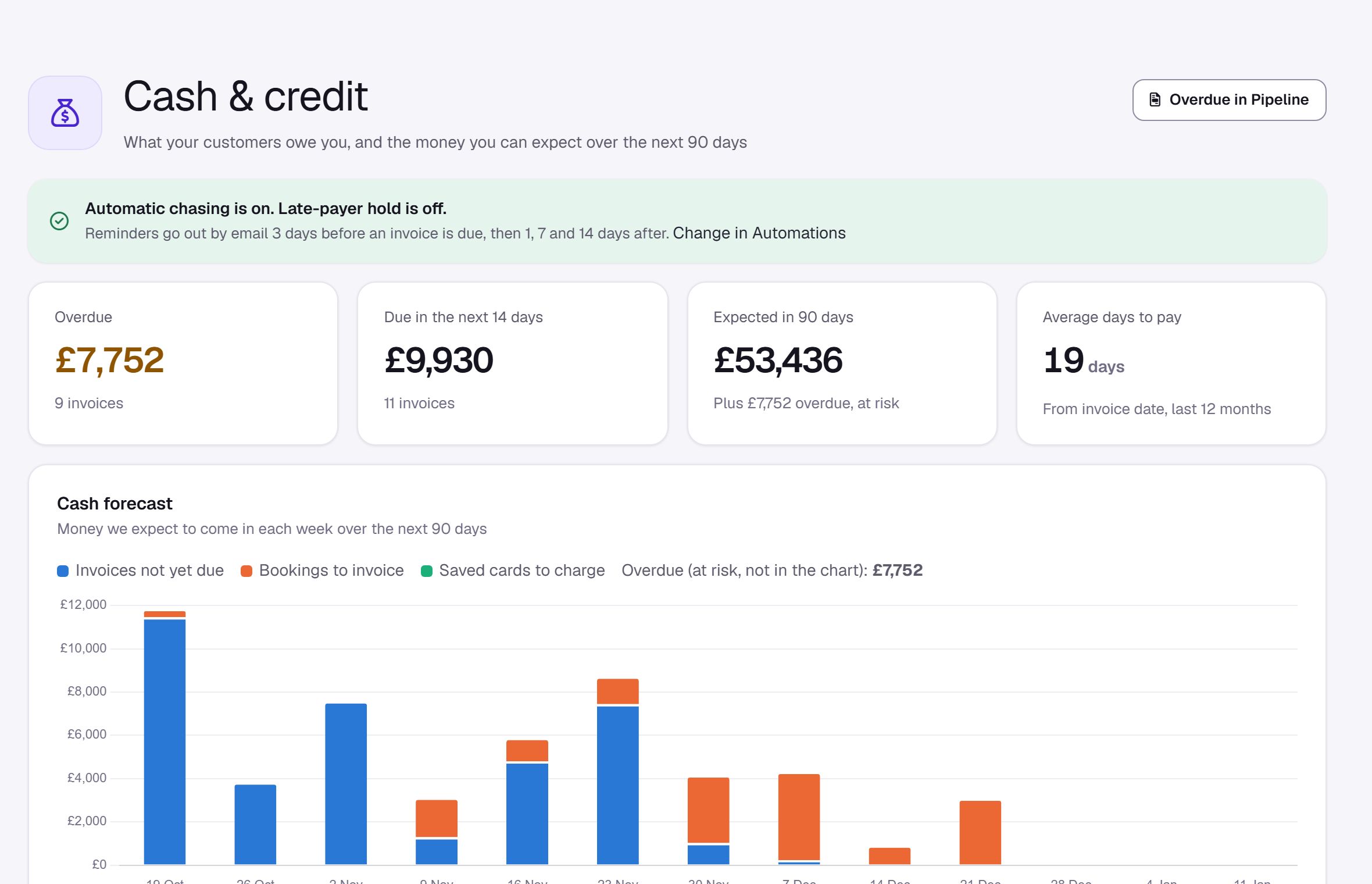
- A 90-day cash forecast of what is due, expected and overdue. Autopilot add-on
Also included
- Discount codes that work at checkout.
- What each customer and each event still owes, at a glance.
- Quotes and invoices sent from your own Outlook mailbox.
Replace it, or connect it
What it replaces
Invoices made by hand and payment chasing. Quotes and invoices raised from the booking, with the PO number carried through.
What you can keep
Keep Xero or Sage 50 for your accounts, and Stripe for card payments. See everything CourseCloud works with.
Questions
Does CourseCloud work with Xero and Sage?
Yes. Invoices are exported as a file in the layout Xero or Sage 50 imports, so nothing is typed twice. It is an export you run when you want it, not a live connection, and your accounts stay where they are.
Do I have to take card payments?
No. Card payments through Stripe are optional. You can invoice and collect payment your own way, offer cards as well, or choose course by course.
More of CourseCloud
Try it with your own courses
Free for up to 25 people a year, then from £49 a month, with no fee on bookings through your own booking page. Set up from your website in one sitting.
Start free